
The digital assistant for lawyers
Work more efficiently with
Case Management AI
Efficient file management, clear division of labor and better collaboration
All file information in one central location
AI assistant generates summaries and next steps
Automatic workflows monitor deadlines and assignment
Standard templates for common case types
Fully integrated with Outlook, Teams and SharePoint
Safe and compliant
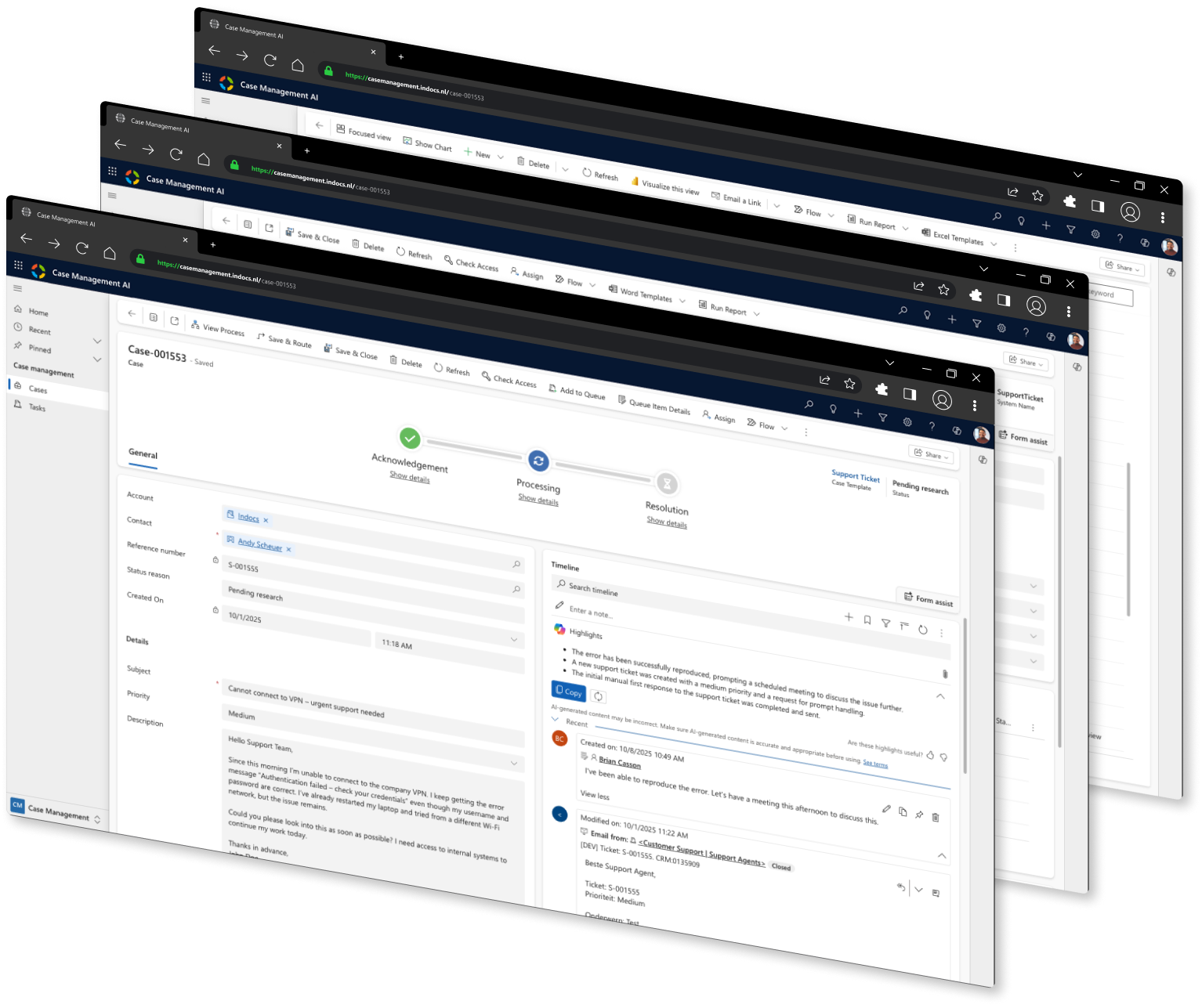
What is CMAI?
CMAI (Case Management AI) is a smart digital assistant that helps law firms manage legal processes more efficiently. The system centralizes all key information, such as case documents, client communications and deadline monitoring, giving staff instant access to the right data at all times. Thanks to advanced automation, CMAI supports document preparation, streamlines internal administration and helps structure case-oriented work.
In addition, CMAI ensures better collaboration within the office and clear communication with clients and supply chain partners. Through automated notifications and smart workflows, deadlines are monitored, follow-ups are distributed and status updates are shared. Whether civil litigation, contract files or administrative law cases, CMAI supports lawyers with smart insights and automated processes, saving time, reducing errors and increasing service quality.
Why choose CMAI
Law firms face high workloads, many administrative tasks and strict deadlines. CMAI helps overcome these challenges by automating legal processes and making them more manageable.
- Efficient file management and document processing
All documents, notes, emails and attachments are in one convenient file. CMAI generates summaries and assists in the preparation of procedural documents or internal memos.
- Term and task monitoring
CMAI ensures that important deadlines are never overlooked. Tasks are automatically assigned and tracked, ensuring things don’t get left behind.
- Better collaboration and communication
Through Teams, Outlook and SharePoint, updates are shared and collaboration is made easier. Status changes, comments and documents are always and for all to see.
With CMAI, law firms get a tighter grip on their processes, reduce administrative burdens and keep more time for substantive work and client contact.

Get started right away with CMAI

Simple integration
Integrates directly within Microsoft, without complex modifications.

Smart automations
Easily incorporate existing business processes into CMAI.

Flexible and scalable
Ability to easily scale up or down the number of users.
Prices
Free trial
Free
- 1 user – 30 days
- Integration with Microsoft 365, Teams and Outlook
- Visual Designer
Pro
€ 9,99
per user per month- Integration with Microsoft 365, Teams and Outlook
- Visual Designer
Premium
Get in touch
- Integration with Microsoft 365, Teams, Outlook and more
- Visual Designer
- Customization options
Specifications
Overview
CMAI Free Trial is the way to experience Case Management AI for yourself within your own Microsoft environment.
You work directly with the same functionality as the paid variants and get full insight into your cases and processes. So you’ll see in no time how to create overview, work faster and achieve better results.
The Free Trial is intended for individual use and gives you 30 days* to test CMAI in practice.
What you get
- Access for 1 user – Ideal for exploring CMAI on your own and gaining experience in your own environment.
- Link with Teams and Outlook – Easily integrate CMAI into your existing workflow.
- Ready-made case templates – Save time by streamlining repetitive tasks.
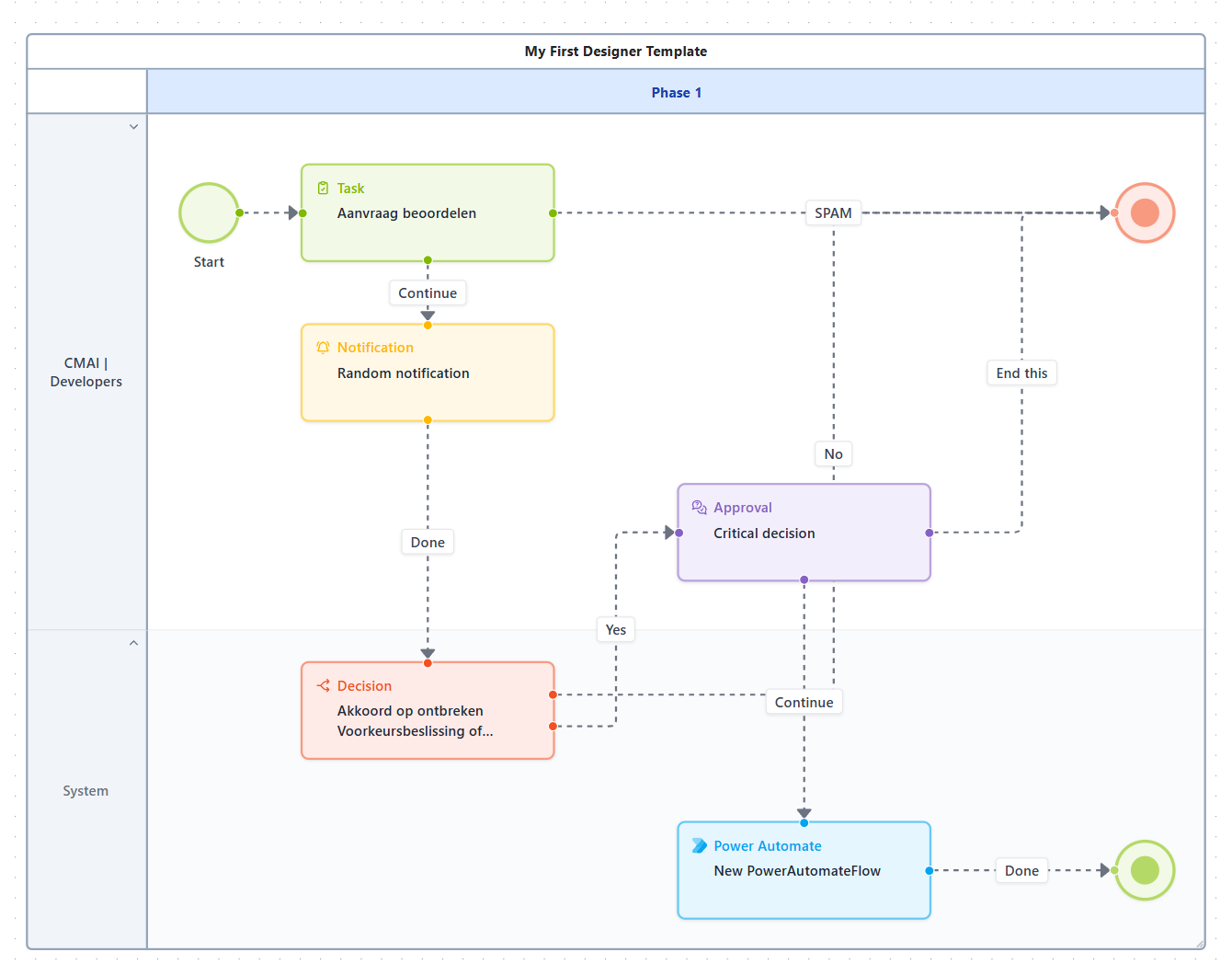
- Visual Designer – Easily design and test your own processes.
What you need
- CMAI Free trial.
- Power Apps Per App Plan or Power Apps Premium license.
To use AI features, you need a Microsoft 365 Copilot license.
*Note: After 30 days, the Free trial automatically converts to CMAI Professional unless you cancel in time.
Screenshots
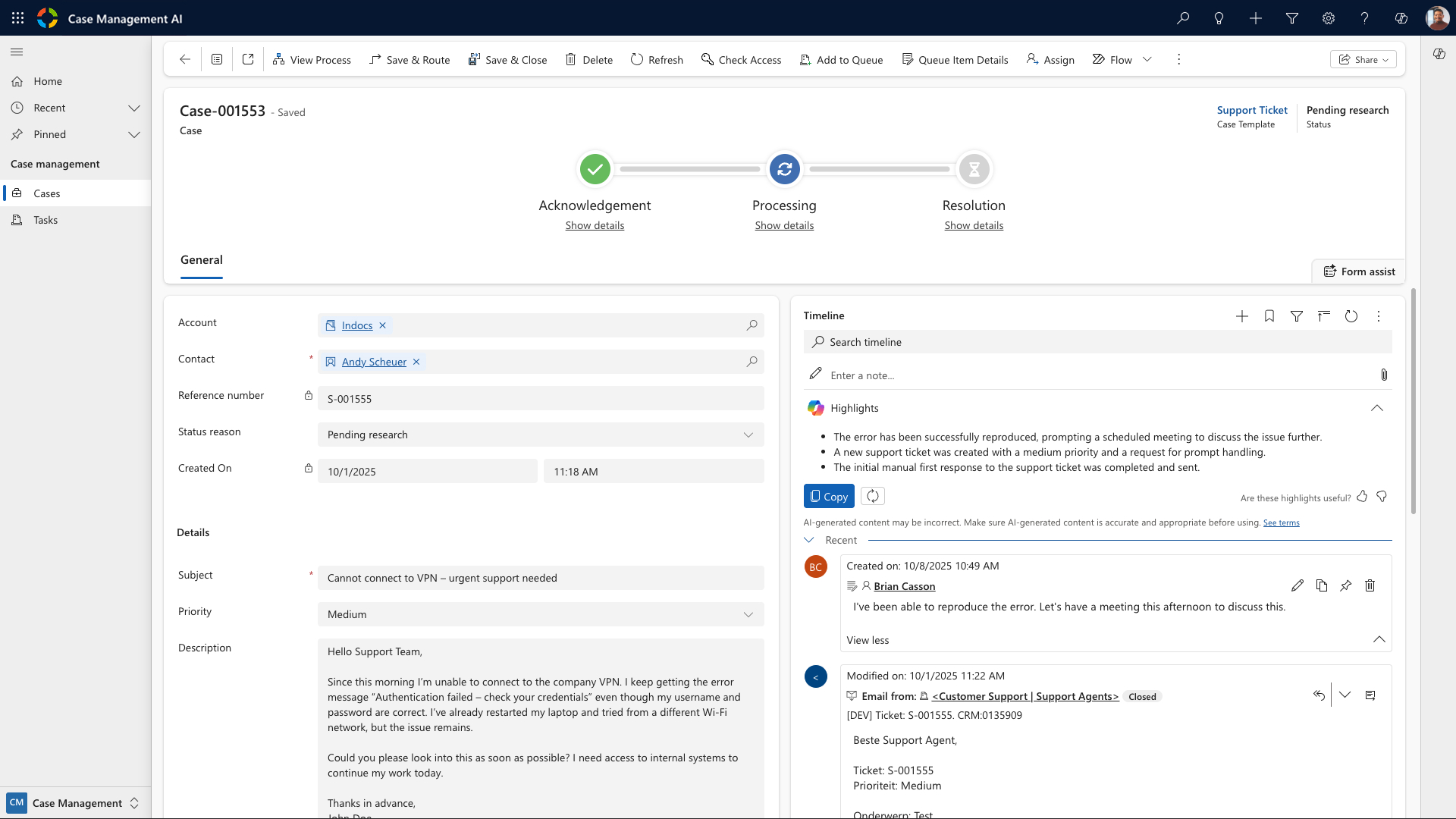
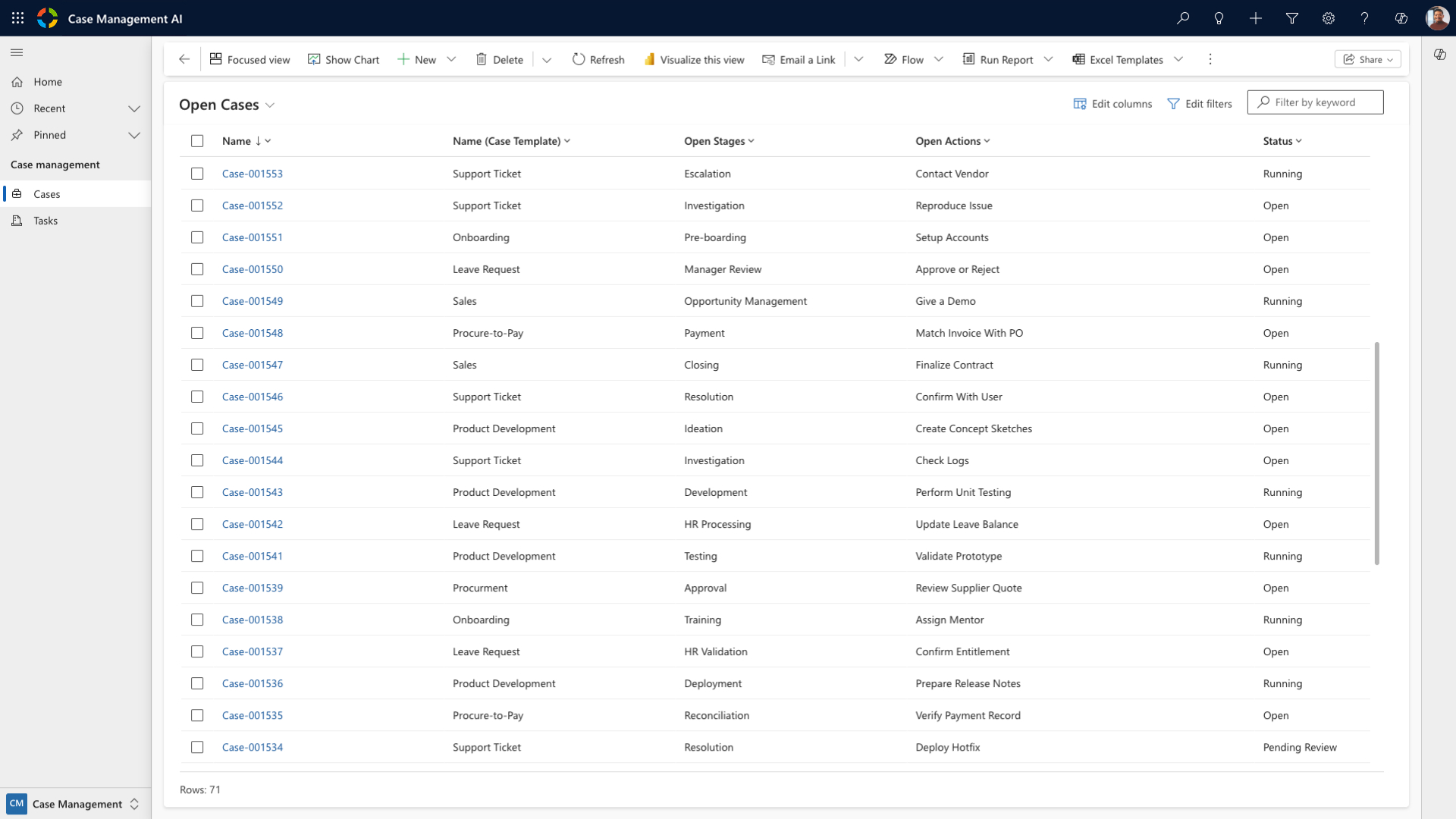
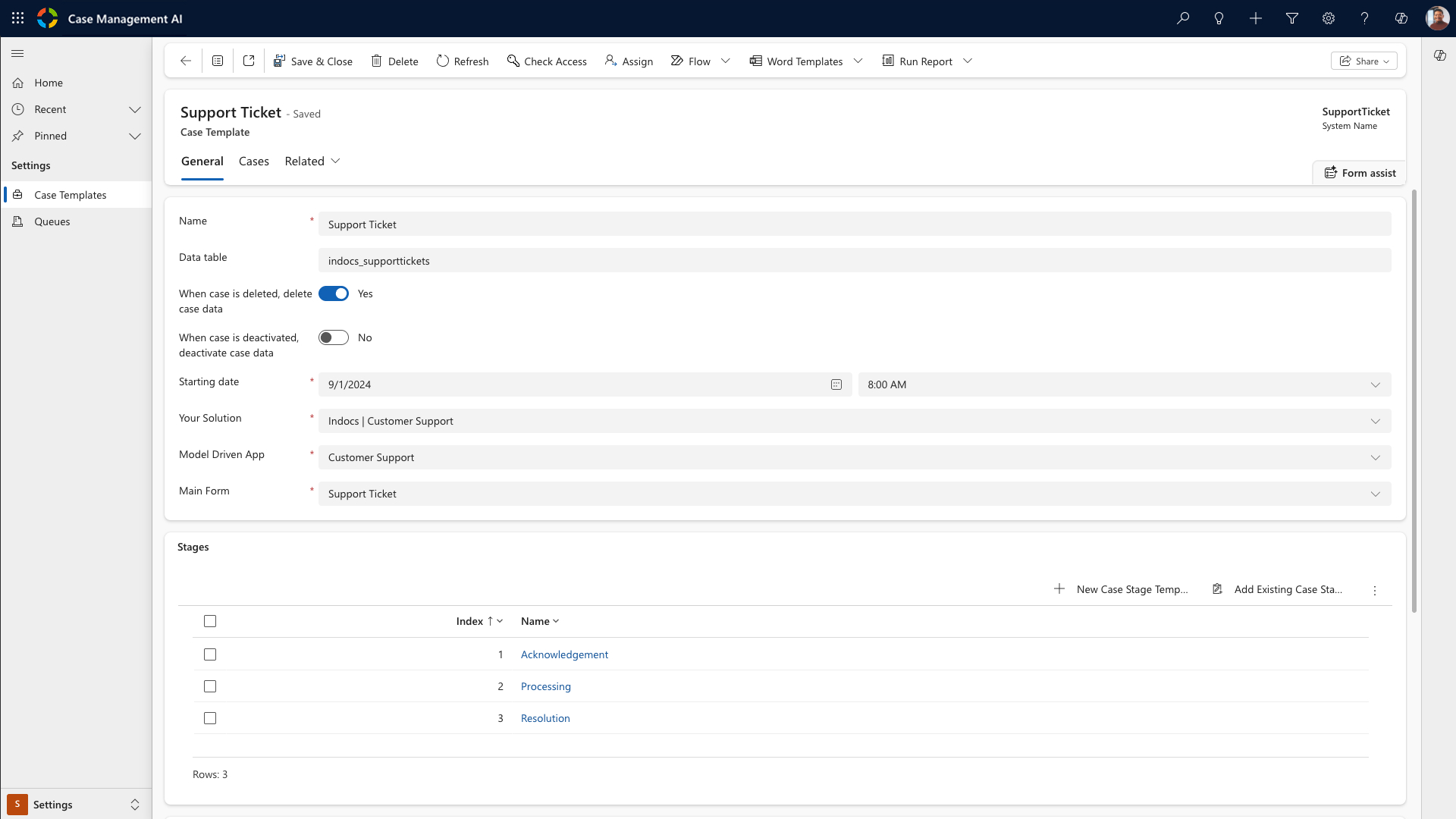
Developer:
Indocs
Price:
Free
Version:
2026.03.05.1
Last update:
05/03/2026
Available via:

Overview
CMAI Pro is ideal for organizations with multiple departments that want to use case management within the Microsoft Power Platform. It works directly with Teams, Outlook and SharePoint, so users benefit from automated processes without complicated implementation.
This solution provides an efficient and scalable way to manage work processes within a familiar environment, without the need for complex customizations.
What you get
- Business use of CMAI – Collaborate with different departments and teams within your organization.
- Link with Teams and Outlook – Easily integrate CMAI into your existing workflow.
- Ready-made case templates – Save time by streamlining repetitive tasks.
- Visual Designer – With the intuitive Visual Designer, you draw processes instead of configuring them.
What you need
- CMAI Pro License.
- Power Apps Premium license.
To use AI features, you need a Microsoft 365 Copilot license.
Screenshots

Developer:
Indocs
Price:
€ 9,99
Version:
2026.03.05.1
Last update:
03/05/2026
Available via:
Overview
CMAI Premium is designed for organizations looking to extend case management with deeper integrations into their IT landscape. Unlike the standard version, CMAI Premium offers advanced linkages to external software and platforms so that processes work smoothly with existing systems.
In addition, it remains fully integrated with Microsoft tools such as Teams, Outlook and SharePoint, allowing users to benefit from automated workflows without complicated implementation. Ideal for organizations that want to go beyond standard Power Platform functionality and need flexibility and scalability in their integrations.
What you get
- Unlimited number of users – Collaborate with different departments and teams within your organization.
- Link with Teams and Outlook – Easily integrate CMAI into your existing workflow.
- Ready-made case templates – Save time by streamlining repetitive tasks.
- Visual Designer – With the intuitive Visual Designer, you draw processes instead of configuring them.
What you need
- CMAI Premium License.
- Power Apps Premium license.
To use AI features, you need a Microsoft 365 Copilot license.
Contact us.
Screenshots
Developer:
Indocs
Price:
Get in touch
Version:
2026.03.05.1
Last update:
03/05/2026
Frequently Asked Questions
Is your question not listed here? Feel free to contact us.
Does CMAI also work without Microsoft?
No. CMAI is a Microsoft Power App (Model Driven) and designed to function optimally within the Microsoft ecosystem. It leverages Microsoft technologies such as Azure and integrations with Office 365 and Dynamics, ensuring secure, efficient and fully integrated workflows.
What licenses do I need all together?
Per user, you need at least the CMAI license. If you use CMAI Basic, then you need a Power App Per User Plan or a Power App Premium license. For CMAI Pro licenses, you will need a Power App Premium license. If you want to use the full AI capabilities, you will additionally need a Microsoft 365 Copilot license for all CMAI licenses.
Can I give users access to specific data?
Yes. in CMAI you can group users and assign specific rights to them. This way, user groups have insight into the most relevant data.
Can I also integrate data from another CRM system into CMAI?
This is possible with CMAI Pro and CMAI Premium. Please contact us in advance to discuss the possibilities.
I have specific functionalities in mind, can you make that happen?
Yes. Every organization has its own specific way of working. CMAI Premium is intended for custom functionality. Please contact us to go over the technical (im)possibilities.